
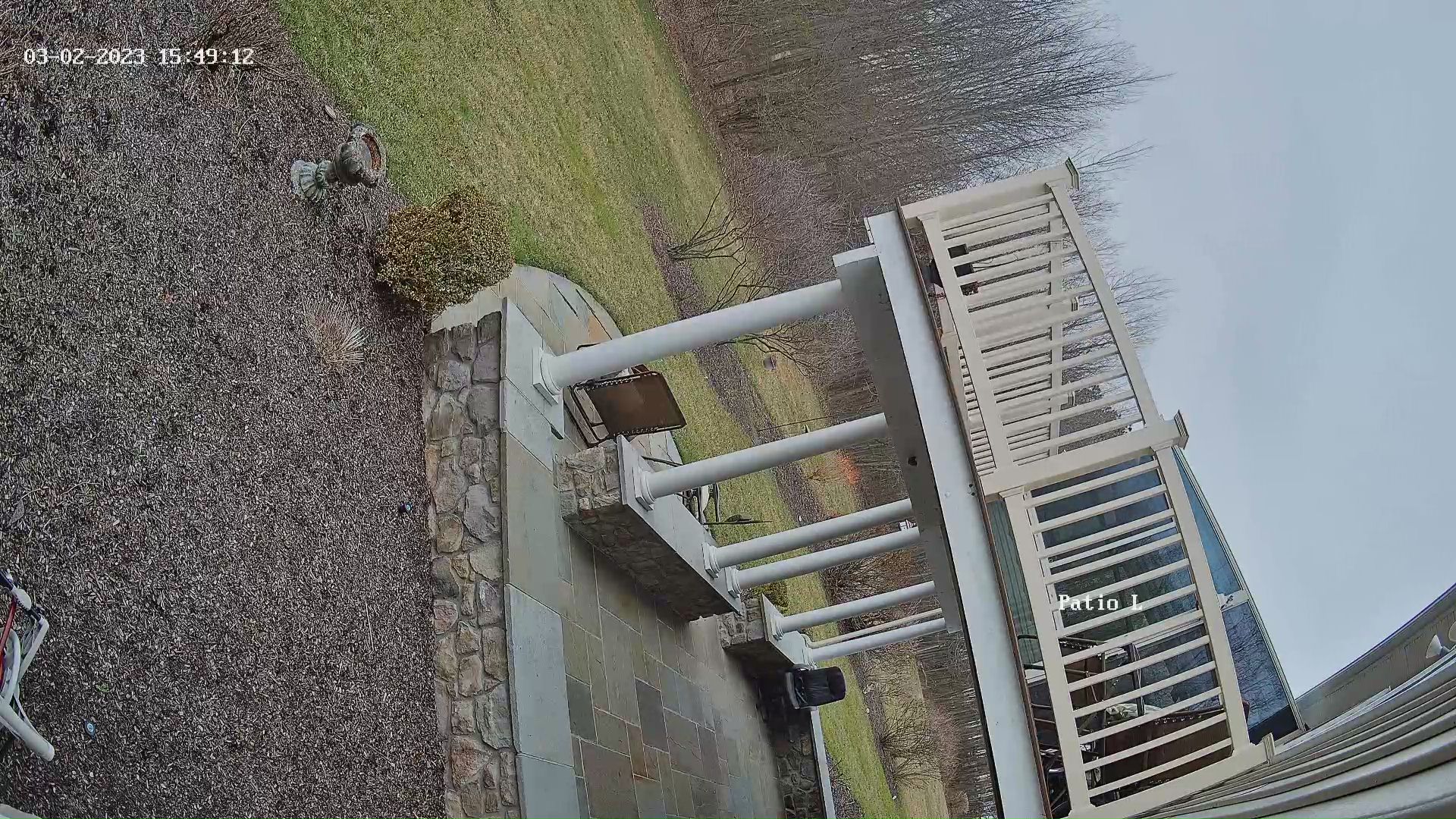
How do i turn the image 90 ?

Annke I91BM dome cameras
How do i turn the image 90 degree so I dont have to bend my head to look at the view ?
I tried connecting to the camera and flip / center the image and it did not help
Appreciate any guidance. Have 3 cameras with same issue
-

Sorry don't know the camera, However if it is a TVI camera connected to a DVR, Try to access the OSD. Preset95, or Menu button if your machine has one. Then go down to the Video Settings in the OSD, then go to Mirror. While I can't say that your's have that option my Annke cameras do. There are a few options there. However if that isn't a option then as David said would be best. Unless it is a Bullet camera then you will want to use a driver and change the position of the camera so it is in the right direction. Depending on the camera there might be 1 screw or 3 or more. One on the body and one on the mount plate, Rotate Then there is one to move up and down or left and right depending on how the camera was mounted. The cable hole should face down and at times the camera might have a up or down on the plate to make sure it is mounted as intended.

Please sign in to leave a comment.
Comments
5 comments