

You may follow the steps below to sign up for a Zendesk account and view the status of your tickets.
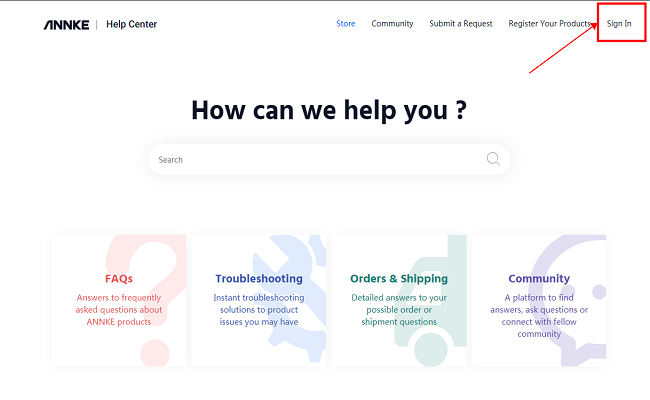
Step 1: Go to ANNKE Support Center, click "Sign in" to log in to your account.
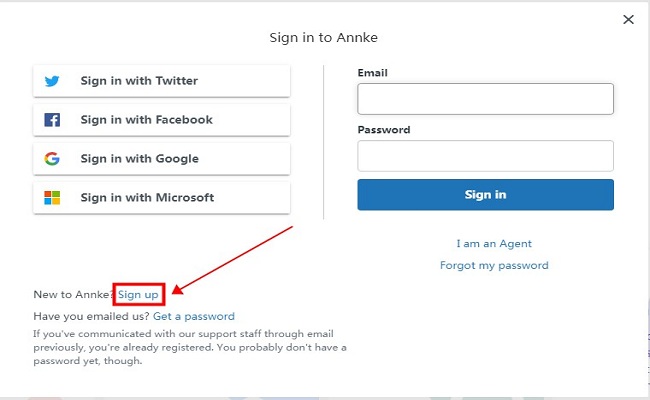
Step 2: If you do not have a Zendesk account, click "Sign up" to create your account.
Note: If you have a Zendesk account already, please go to Step 5 directly.
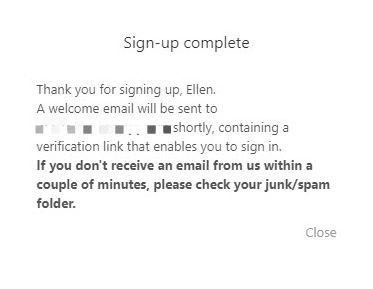
Step 3: Type in your name and your email address to which Zendesk will send a verification link later.
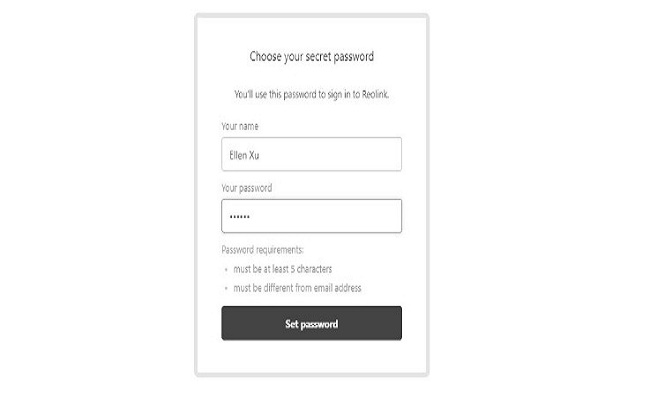
Step 4: Click the link in the email and create a password for your account, and then click "Set password".
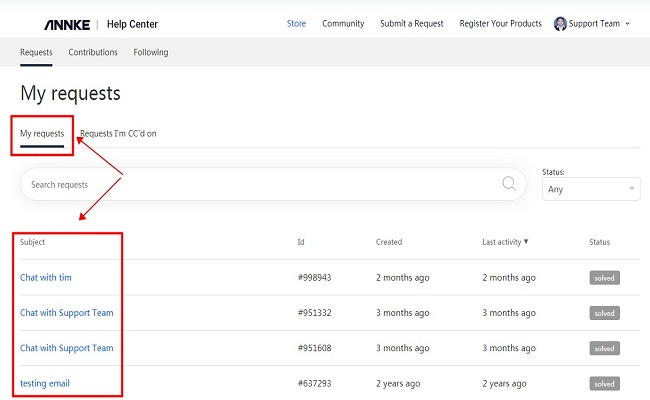
Step 5: After logging in to your account, click your name on the upper-right corner, choose "My Activities", and then you will be able to see the details of all your tickets.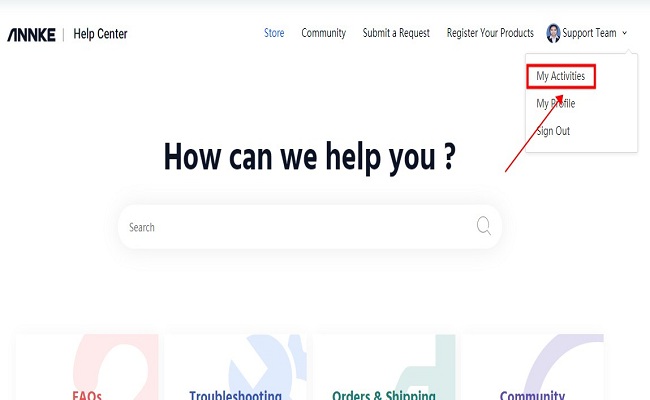
Comments
4 comments
Dear Anneke til know i don't get any updates from store
I had sent U r last massage en video form DVR
(#2107766) Thank you, You can send the new dvr to: Bruce Williams, 4040 W. Delta Street, Tucson, AZ 85741
Can you contact me .cameras keep going blank at night .I have reset but still missing footage
Please sign in to leave a comment.