

Applies to: DT41Y/DT61Y/DT81Y/DN41R/DN61R/DN81R/DT41GB//DT81GB/DT61GB/DT41DB/DT81DB/DT61EQ/DW41JD/DW81KD/DW61LD/DT81DP/N48PI/N44PI/N46PI/N44PAM/N48PAW/N46PCK/N88PCH/N441Y/N481Y/S500/S300/FC200/NCK800/H800/H500/C800/C500/B1200/NC400/CZ500/CZ400/I21AE/I21AF/I41DQ/I61DQ/I61DR/I61DS
Purpose: You can edit device name, add and delete cameras in the favorites.
Before you start: You should run the app and have logged in your account before using the function.
Steps:
1. Enter the Annke Vision page, you can see the Favorites.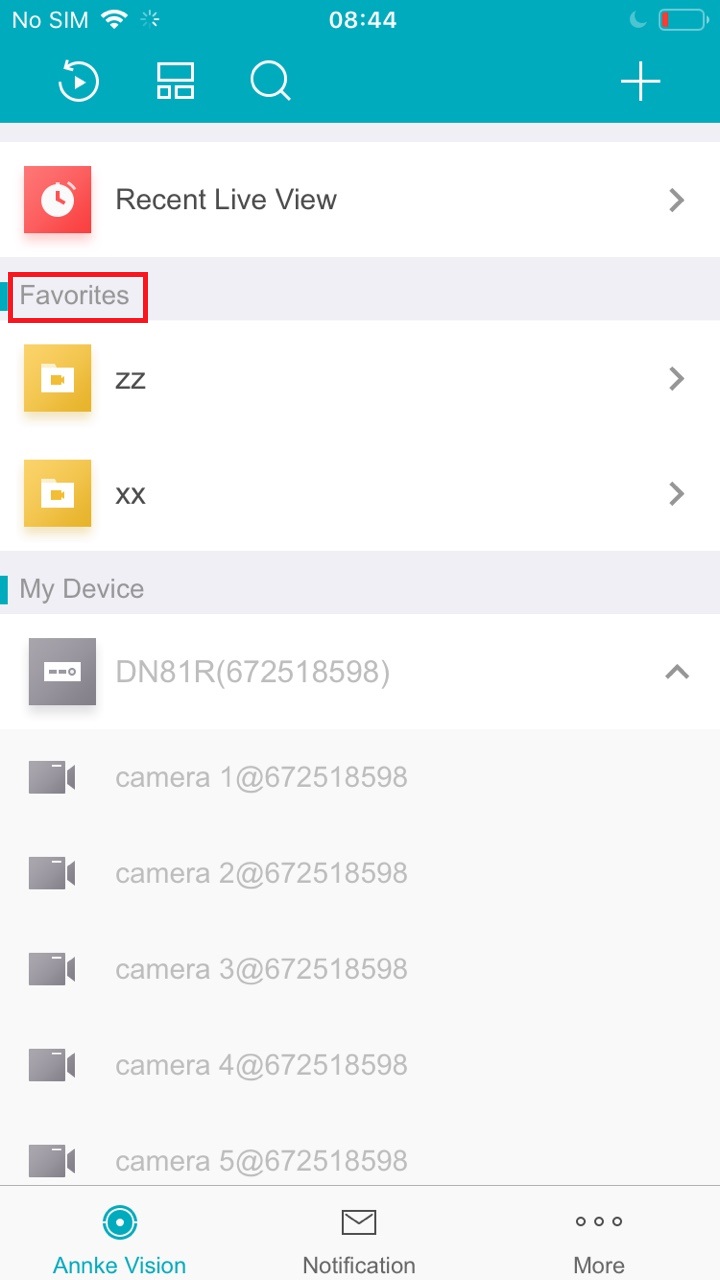
2. Click , enter the Edit Favorites page.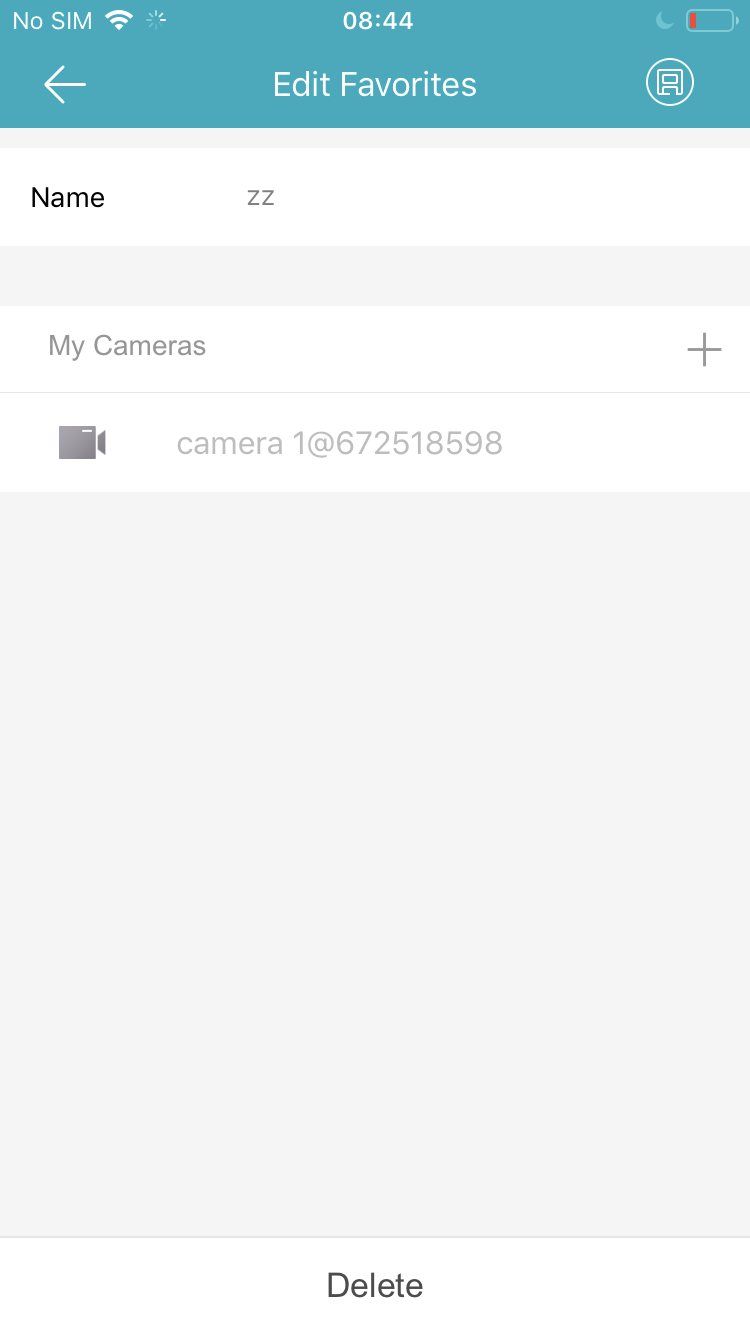
3. On the Edit Favorite Page, you can Edit the Device Name or Tap  to Add cameras Or Delete cameras in the favorites.
Comments
0 comments
Article is closed for comments.