

Applies to:
C51BH/C51BG/C51BM/CT1DR/CT1DS/CT1DL/CT1DM/CR1BM/CR1BN/CR1BL/CR1BJ/CR1BB
Purpose: If the camera presents a vision in black and white during day time or the night vision is totally black, please find below:
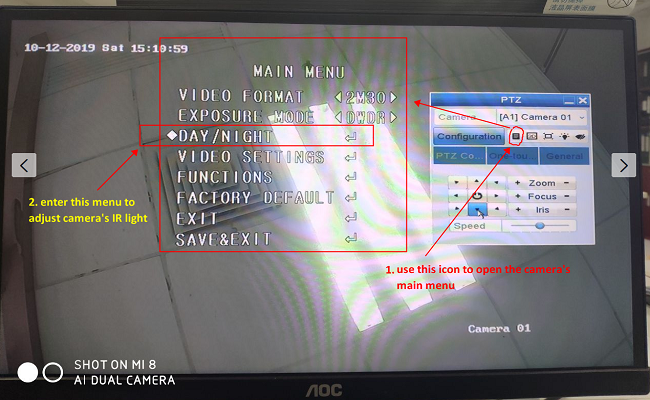
- Please go to the DVR Menu -- Camera -- PTZ, access "PTZ" settings, click "PTZ" button.
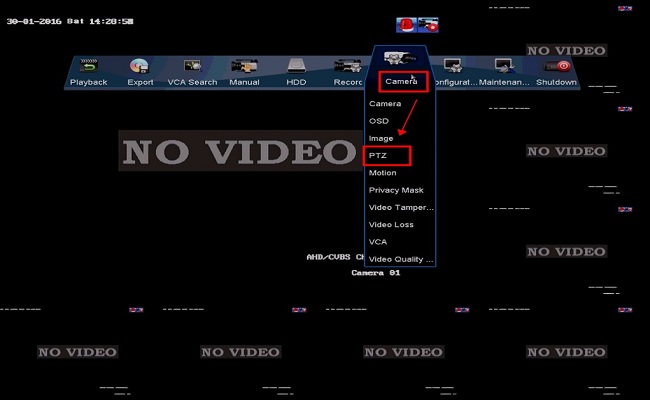
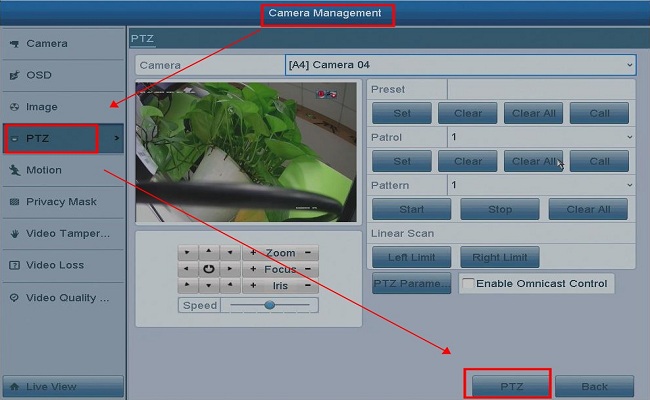
- Then the system will show PTZ setting pannel. Please choose the camera, click the menu icon
 for further settings.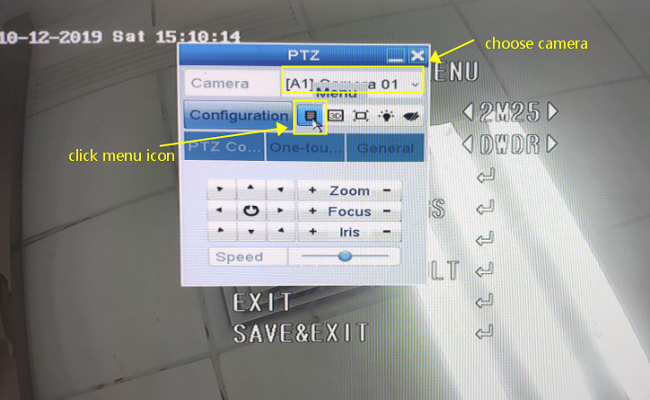
-
a) Please note the button
 and
and  is for up and down
b) button
 and
and  is for left and right
c) button
 if for entering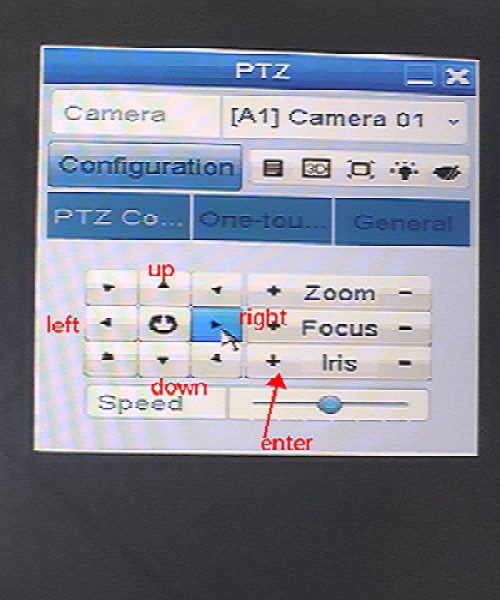
- Please enter the item "Day/Night" on the main menu.
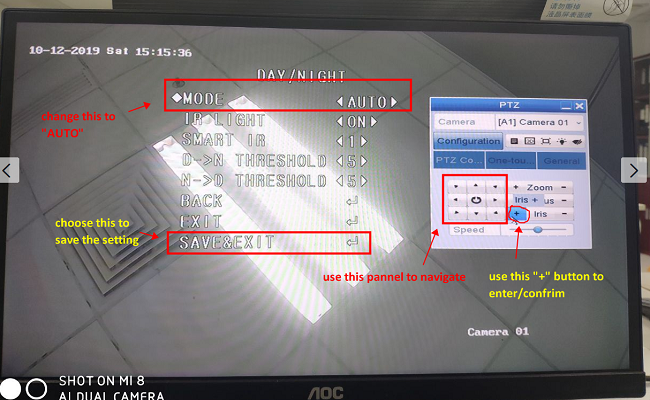
- Here you can adjust the mode to "auto" "color" "B/W", please adjust the mode to "auto", and save the change, the camera will auto switch day model and night model by the light condition.
Comments
0 comments
Article is closed for comments.